For a fun seasonal project with powerpoint- introduce
kids to 818 section (jokes & riddles), bookmark some additional Halloween jokes,
and let them make some slides. Have them save to a shared folder, then
merge the slides. Upload the class show to Slideshare
or some other service to disseminate or embed on your website, if desired.
Showing posts with label technology. Show all posts
Showing posts with label technology. Show all posts
Wednesday, October 22, 2014
PowerPoint is a Joke! a Halloween tech project

Tuesday, September 2, 2014
International Dot Day
For the first time, we will celebrate International Dot Day at Hawthorne. Dot Day is a celebration of courage, individuality, and creativity. I have sent out lots of emails to classroom teachers and fellow librarians in the district to help me celebrate. In addition to the Dot by Peter Reynolds, here are the books we will be using:
 I am very excited about blowing my student's minds with the CoLar augmented reality app and the special page they made just for Dot Day!
And here are some activity ideas I sent my teachers:

And here are some activity ideas I sent my teachers:
Thursday, May 22, 2014
Idiom Activities
The new Commom core standards indicate that students should know about figurative language, including idioms. Luckily for me, I've always loved word play, and already had a few activities under my belt (more figurative language)!

I also like to have the kids use technology to create their own illustrated idiom show. I use PowerPoint, it's an important program for kids to be comfortable with. Students LOVE the clip art, and I like not having to worry about citing sources for images from the web.
Our library has some great books about idioms, and the web has a plethora of games for kids to challenge themselves with.
http://www.literacysites.com/idiomactivities-online.htm
Monday, May 5, 2014
Voice Thread for the Treasure State Book Award
I used to love Voice Thread. I always used it for the students to comment on the titles nominated for the annual Treasure State Award. Now, I am unable to log in on more than one device, so it has turned into an activity that we all do as a class, instead of letting the students work independently.
So, really, the advantages of using Voice Thread are diminished. If I want to use it with more than one person at a time, I have to pay $80 a year. I may as well use ThingLink, LinoIt or Padlet- at least I can embed those tools!
Just for this year, I decided to go ahead and use VoiceThread for this year's project. The students get to record their thoughts on each of the 4 titles we read, then we vote for the book we love most. This year, the overwhelming favorite was Jangles by David Shannon

So, really, the advantages of using Voice Thread are diminished. If I want to use it with more than one person at a time, I have to pay $80 a year. I may as well use ThingLink, LinoIt or Padlet- at least I can embed those tools!
Just for this year, I decided to go ahead and use VoiceThread for this year's project. The students get to record their thoughts on each of the 4 titles we read, then we vote for the book we love most. This year, the overwhelming favorite was Jangles by David Shannon
QR Code Poetry Readings
The 4th and 5th graders have been working with our poet in residence, and have built up nice portfolios. After spring break, I will have the kids make audio recordings of their poems on the ipods and email them to my Dropbox account. From there I will get a public link and paste the link into a Google doc. The Google doc has a bit of script that automatically generates a QR code for each URL. I print the codes and pass them out.

The kids glue them onto posters advertising their poetry. The reading community scans the code to hear the poem. I loaned out devices, but borrowers had to leave their shoes as collateral!
Kids also made cards for National Poetry Week to leave for random people at local restaurants. Each card had a code for people to scan, as well as a greeting from the reader. I hope they brightened someone's day!
Abc Order
I have so many favorite Alphabet books! At this point in the year, I like to think that most of my kindergartners have mastered the letter names and sounds, and are ready to master other skills related to the alphabet, namely putting the letters in alphabetical order.
To this end, today we will play an active little whole-brain game that I call Too far, not far enough...
The Rules:
Post an alphabet strip on both sides of the room. (Older kids won't need this)
Choose one child to be "it". They turn their back to the whiteboard(to start, choose one who is pretty confident with ABC order)
I write a letter on the whiteboard (eg; "F")
"it" guesses a letter. (eg; "S") Class jumps up. (S is "too far")
"it" guesses again. (eg; D) Class squats down (the guess is "not far enough" or occurs too early in the alphabet.
Play continues until "it" guesses the correct letter.
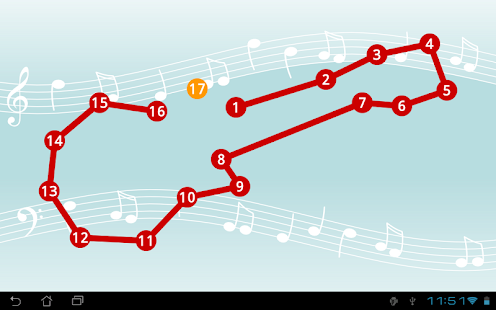
I also use an ipod app that has draw-by-number AND draw-by-ABC order connect-the dot puzzles.
It's called Kids Connect. The kids love a chance to play with the ipods. The letters and numbers are teensy weensy, but that doesn't seem to be a problem for anyone but me!

To this end, today we will play an active little whole-brain game that I call Too far, not far enough...
The Rules:
Post an alphabet strip on both sides of the room. (Older kids won't need this)
Choose one child to be "it". They turn their back to the whiteboard(to start, choose one who is pretty confident with ABC order)
I write a letter on the whiteboard (eg; "F")
"it" guesses a letter. (eg; "S") Class jumps up. (S is "too far")
"it" guesses again. (eg; D) Class squats down (the guess is "not far enough" or occurs too early in the alphabet.
Play continues until "it" guesses the correct letter.
I also use an ipod app that has draw-by-number AND draw-by-ABC order connect-the dot puzzles.
It's called Kids Connect. The kids love a chance to play with the ipods. The letters and numbers are teensy weensy, but that doesn't seem to be a problem for anyone but me!

Friday, May 2, 2014
Yearbook
Each year I have the kids put together a 5th grade class yearbook. I am hoping that I can get these together and ordered before the end of next week so that the print copies will arrive before school lets out.
This is the rubric I use to assess their biographical sketches, and a link to last year's yearbook:


This is the rubric I use to assess their biographical sketches, and a link to last year's yearbook:
By michele nokleby in Student Publications
54 pages, published 6/5/2013
The 5th graders from Hawthorne Elementary put together a yearbook every spring. This the 2013 iteration.
Monday, March 10, 2014
March is the Month for Thinking Green
I decided that I really need to give my students more experience working with Microsoft Word. I am more of a Google Doc girl, but I know their teachers will expect them to be able to create a simple document.
With this in mind, Ihad mys students in 3rd grade to think of things that made them think "green". Then I read the poem "Grreen" from Hailstones & Halibut Bones.(Mary O'Neill, 1951)

With this in mind, Ihad mys students in 3rd grade to think of things that made them think "green". Then I read the poem "Grreen" from Hailstones & Halibut Bones.(Mary O'Neill, 1951)

They love these color poems. I quickly showed them how to open a blank document so they could write their own "green poems". I showed them how to use spell check, format the text, changing fonts, sizes, colors, use the centering tool, and finally how to insert, re size, and position clip art. Finally, the kids were able to select a printer and generate a hard copy of their work. ALL of this in 10 minutes or less, so I was pleasantly surprised to find that the students did quite well. Part of the reason for success, is that the kids weren't allowed to do ANY formatting or clip art until their poem was done. (quite a motivator)!
Green is ...
Like a long field at sunset
Like a pickle fresh from the jar
Like green beans and broccoli
And maybe a new car
Like grass around a tree
and some leaves
But just remember green green green
(Ashlyn)
The kids loved this "quick & dirty" project, and it gave them a much needed review of basic Word commands as well as a little keyboarding practice. The kids also "remembered" how much they enjoy poetry books!
Tuesday, February 4, 2014
Digital Learning Awareness Week
The first week of February has been designated as Digital Learning Awareness Week. Hawthorne is one of only two Montana schools to have registered as participants on the official website At Hawthorne we are excited about educational technology and are wanting to share our projects and passions!
Our students are celebrating the week with a variety of digital projects. At Hawthorne, we are fortunate to have access to a computer lab, a mobile netbook lab, ipads, and ipods. With this electronic equipment at our disposal, students are motivated to learn new content and share their learning in engaging, creative ways.
Fifth graders are posting their opinions on the debate between keyboarding and cursive instruction on their blogs. Fourth graders are posting about how digital technology has impacted their lives. The kids love to express their opinions and look forward to any comments or questions they receive on their blogs.
Third graders have been learning about biographies. Each student chose a famous person to research, using on-line sources as well as books to gather information. Using the ipads, they made delightful animated “Talking Head” videos of their subject, providing a first-person narrative audio track.
Second graders are attempting to digitize their existing manuscripts, scanning illustrations, importing them into a slide show app (30 Hands), then recording their voices reading each page. The same app allows first graders to take photos to create a digital book talk video to showcase some favorite titles from our school library.
Kindergarteners display their mastery of the computer mouse by creating digital artwork and saving it to a file as directed. With help, they will be able to make a group slide show of their art, accompanied by music and their sweet voices talking about their work.
Hawthorne school will be sharing these projects and many more from our Facebook and Twitter feeds, as well as our webpage. We invite you to take a look!
FaceBook: Hawthorne School Library
Twitter: @HawthorneReads
web: www.mcpsmt.org/HawthorneLibrary
Tuesday, October 15, 2013
SUMDOG
One of my techie friends at a local school challenged us in a mathematical contest using SUMDOG. I'd registered a while ago, but hadn't loaded my students until now. Today I introduced it to a class of 2nd graders and a class of 5th graders and they loved it! Several of the kids wrote down their log-in information so they can play at home.
It was the perfect activity for the kids today because it's only a 3-day week, and I didn't want to start any new grade-level projects, since I won't see the other classes this week.
Kids log in and play a series of math games against other players who are logged in at the time, or a "robot". They earn coins depending on how accurate they are. I can choose how hard the problems are, or even dictate a specific type of problems (coin values, for example)


Tuesday, October 8, 2013
Halloween slide show
I know it seems simple, but many skills were at work when the 2nd graders created this Halloween movie for you. Logging in, opening a program as directed, using toolbars, using the keyboard, and phonetic awareness (The invented spelling is part of the charm!) This is a fun project to share with parents.
Digital Citizenship Projects
The fourth & fifth graders have been learning about the school Acceptable Use Policy, and digital citizenship in general. To share their learning, the students did a couple fun things...
4th Graders shared ideas on a digital bulletin board, created with Linoit. I really like this tool, because it allows all the kids to express their ideas to the group, also, they strive to think of information that hasn't yet been shared, so they are really racking their brains. Linoit is easy to use, but I wish our school didn't block access to Padlet, which is an even nicer tool!
5th graders each made a Voki to tell about a computer rule. They LOVED using Voki, and were very pleased to have their creations shared on the school web page. This was a very engaging approach to teaching this material. Here's an example:

Kindergarten Computer Skills
The Kindergartners LOVE to use the computers. I have a number of sites that I direct them to from my webpage, but I mostly like to teach them creative skills.
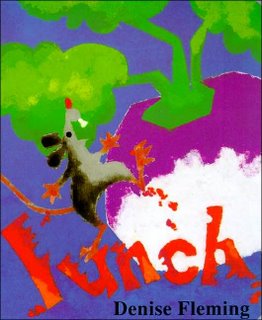
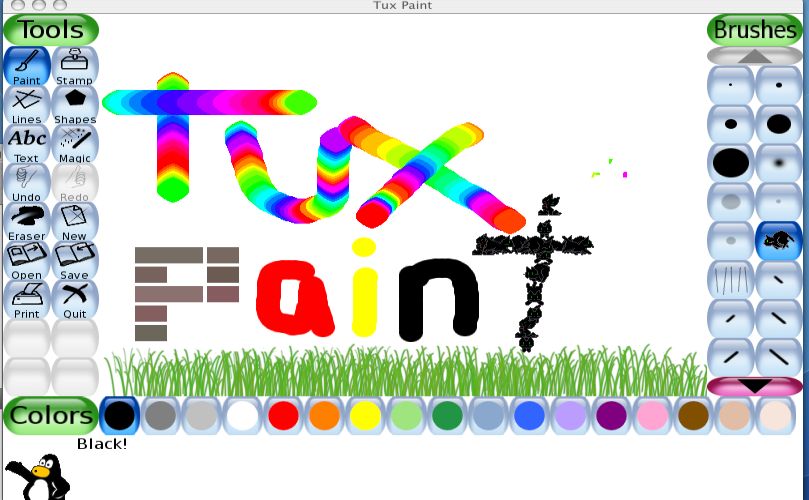
I start the year by reading Lunch, by Denise Fleming. This is a fun, simple and quick story about a little mouse who makes a colorful mess. I then show them how to make a "Mouse Mess" of their own using TuxPaint on the computer. I encourage them to use a lot of different colors and brush styles, jsut to practice using the mouse. For many of them, thisis their first experience using a computer.
 I give them each a little paper mouse to take home... a computer mouse on one side, and a storybook mouse on the other. The dots you see represent the stickers I place on the Left Click side of the mouse, so the kids know where to rest their index finger.
 A pdf of the mouse pattern can be found HERE.

Saturday, July 20, 2013
Smore : a new tool
So I have discover a new tool for making mini web pages and very cool posters. Now I am trying to decide how or why or if this might be useful in my teaching. Just to try it out, I made a page for a book I recently read, embedding a You-tube video, an image, and a quote. I must say, it looks pretty good.
One thing that would make it good for using with kids, is that there are a limited number of design options. Sometimes this is helpful for kids who might otherwise become paralyzed with indecision when faced with too many decisions (kids like myself!)
Another thing I liked is that the elements in each page are added with individual components that are modified one-at-time. This sense of incremental building is helpful for kids, in that they can manage one part of a project at a time, and won't get overwhelmed by what may seem an enormous task.
The projects can be shared on a variety of social media sites with one click, emailed, or embedded into a web page. I composed my project on the ipad, and I did have trouble getting the embed code from within Safari. So, for now I am just posting the link, and will embed using the laptop.
so here is the embedded version, you must click on it to scroll down.
One thing that would make it good for using with kids, is that there are a limited number of design options. Sometimes this is helpful for kids who might otherwise become paralyzed with indecision when faced with too many decisions (kids like myself!)
Another thing I liked is that the elements in each page are added with individual components that are modified one-at-time. This sense of incremental building is helpful for kids, in that they can manage one part of a project at a time, and won't get overwhelmed by what may seem an enormous task.
The projects can be shared on a variety of social media sites with one click, emailed, or embedded into a web page. I composed my project on the ipad, and I did have trouble getting the embed code from within Safari. So, for now I am just posting the link, and will embed using the laptop.
so here is the embedded version, you must click on it to scroll down.
Wednesday, March 13, 2013
Gathering and Display of Data
Last year, one of my former students was engaged in research for her senior project. (although how she became a senior so fast, I don't know!) She had prepared a questionnaire for this purpose, but it was in printed hard copy, which I found disturbing.
In this day and age, it is ridiculous to be gathering data on paper. First of all, it's terribly inefficient and a waste of resources. People will misplace the form either before they fill it out or after they fill it out. Trying to get the completed forms back to the originator can be a problem as well, and that is all before the data is "crunched" in a spreadsheet, or worse, tabulated by hand.
It's so very easy to create forms online to gather data. I LOVE Google forms, and the different ways I can author and finesse the behavior of the questionnaire is amazing. There are also lots of sites online that allow a student to create simple polls without any sort of account.
This week, my students will be taking a poll called "My Voice" from Pearson Education. I would be willing to bet that my district paid quite a bit for this 50 question survey that I could have put together in less than an hour on Google forms, and I could have customized it... no generic questions.
When my students finish the poll this week, I plan on showing them how they too, can create online forms to collect data. With luck, none of them will be issuing paper questionnaires for their senior projects, or any other data quest that they may need to do in the future. I will have them embed their forms into their blogs. I know they will love this activity and hopefully understand how the tools can be applied in real life.
In this day and age, it is ridiculous to be gathering data on paper. First of all, it's terribly inefficient and a waste of resources. People will misplace the form either before they fill it out or after they fill it out. Trying to get the completed forms back to the originator can be a problem as well, and that is all before the data is "crunched" in a spreadsheet, or worse, tabulated by hand.
It's so very easy to create forms online to gather data. I LOVE Google forms, and the different ways I can author and finesse the behavior of the questionnaire is amazing. There are also lots of sites online that allow a student to create simple polls without any sort of account.
This week, my students will be taking a poll called "My Voice" from Pearson Education. I would be willing to bet that my district paid quite a bit for this 50 question survey that I could have put together in less than an hour on Google forms, and I could have customized it... no generic questions.
When my students finish the poll this week, I plan on showing them how they too, can create online forms to collect data. With luck, none of them will be issuing paper questionnaires for their senior projects, or any other data quest that they may need to do in the future. I will have them embed their forms into their blogs. I know they will love this activity and hopefully understand how the tools can be applied in real life.
Wednesday, March 6, 2013
5th Grade Social Media
Its so very important for kids to learn how to use technology the right way. I hear people complain all the time about how kids have their heads bent over an electronic device so often that they seem disengaged. My question to them is, do you teach by example? When your children are with you do you...
Turn off the TV ?
Put away your cell phone ?
Close your computer ?
Do you insist that electronics are off during meal times?
Do you talk about how rude it is to use cell phones at movies, dining establishments, or anywhere else that bystanders have to listen?
Kids also must learn to use social media responsibly, because they WILL use it eventually, whether you like it or not. A quick visit the the comments section of the Missoulian should convince you that rules of civil discourse online should be EXPLICITLY taught.
As a means to this end, I have set up my 5th graders with a couple different forums to practice these skills. They each have their own blog, where they can write about their interests, or write for a classroom assignment. They also have accounts in Edmodo, which is a Facebook-like environment that is closed for everyone except the class and myself.
With these tools, kids learn about respectful commenting, responsible and meaningful posting, privacy issues and lots more, all while honing their writing skills. We talk about case studies, how important it is to establish a positive web presence. I fill their ears with horror stories of kids (and adults!) who sabotage themselves by acting like idiots online. We discuss cyber-bullying, and how to respond 9or not) if and when they see it happening.
Strong online communication skills are absolutely necessary for success in the workforce, and increasingly in school. I feel that we would be doing our kids a grave injustice to ignore this or (worse) actively resist letting them learn and practice these skills in a safe, supportive environment.
Turn off the TV ?
Put away your cell phone ?
Close your computer ?
Do you insist that electronics are off during meal times?
Do you talk about how rude it is to use cell phones at movies, dining establishments, or anywhere else that bystanders have to listen?
Kids also must learn to use social media responsibly, because they WILL use it eventually, whether you like it or not. A quick visit the the comments section of the Missoulian should convince you that rules of civil discourse online should be EXPLICITLY taught.
As a means to this end, I have set up my 5th graders with a couple different forums to practice these skills. They each have their own blog, where they can write about their interests, or write for a classroom assignment. They also have accounts in Edmodo, which is a Facebook-like environment that is closed for everyone except the class and myself.
With these tools, kids learn about respectful commenting, responsible and meaningful posting, privacy issues and lots more, all while honing their writing skills. We talk about case studies, how important it is to establish a positive web presence. I fill their ears with horror stories of kids (and adults!) who sabotage themselves by acting like idiots online. We discuss cyber-bullying, and how to respond 9or not) if and when they see it happening.
Strong online communication skills are absolutely necessary for success in the workforce, and increasingly in school. I feel that we would be doing our kids a grave injustice to ignore this or (worse) actively resist letting them learn and practice these skills in a safe, supportive environment.
Sunday, March 3, 2013
NCCE 2013 Portland, Oregon
I spent the week in Portland for the National Council for Computing in Education Conference. It was really good, and I learned a lot, but I am missing my munchkins at school. I also feel like I am horribly behind in some of the rest of my life. For example, I'm taking two online classes that I've put on the back burner all week, and now I'm struggling to play catch up.
Before I launch back into regular librarian mode, however, I am going to quickly review some of the highlights from the trip before the details are absorbed into the indistinct, porridge of my memory. Thus, following is a chronology of the visit:
Monday Night: Upon departure from Missoula, I am stopped and hassled briefly by security because my name is spelled incorrectly on my ticket. Worse, my travelling partner, Crista, receives the full treatment from security- just shy of a cavity check! Finally, we arrive unscathed at our hotel around midnight and fall into bed
Tuesday: Crista is assisting with a pre-session class. These pre-session events are really expensive, but I appoint myself an assistant to the assistant, and thus am able to freeload on the content that I really should have paid for. The session focused on the importance of developing a strong professional learning network, primarily through social media. As a librarian, I am isolated from others with my specific interests and concerns, so I have long exploited digital communication to connect with other like-minded souls. This session was a little basic for me, but it's always good to have a review.
The afternoon was devoted to the power of Google Docs. I have been a heavy user of the Google suite of tools for many years, and will soon have the opportunity to help my staff and students discover the value of all the tools, as my district is soon adopting the gmail and google docs for education. I am very excited about this upcoming opportunity. I think the session offered a very good model for teacher training that I could easily reproduce at my own site.
Wednesday:
I learned about the theory of "Gamification" of the classroom. Proponents claim that students who are proficient gamers have a statistically higher earning potential. This idea flies in the face of what I'd always thought about gaming, namely that it numbed the mind and the sensitivities of players, and glamorized violence and antisocial behavior in general. Well. I was forced to confront my prejudices in light of what I saw demonstrated. The gaming platform exhibited really did engage students, and also actually made them get up and move. I could really see how the systems would be beneficial, especially in the primary special education room. I also learned how one school district received funding for the purchase of xBox hardware and software through a "healthy kids" grant. Another schools' efforts were financed through a Kickstart grant. It had never occurred to me to harness Kisckstart for a school project. I had always associated it with the arts or entrepreneurial efforts. Hmmmm... That's what I love about these conference events- unexpected learnings.
Thursday:
I started the morning with a session by Tammy Worschester, who is always excellent. Her topic was on the uses of google docs (a pervasive theme this year) to collect student work in the form of URLs into a central spreadsheet. She also showed us a bit of html that we can use to generate QR codes for each of the URLs turned in, so I won't have to work on them individually (Hallelujiah!) However, she didn't tell whether or not the QR codes automatically shorten the URL (which I suspect)./ If this is indeed the case, they would all be blocked by the district #%&*! internet filter.
Nonetheless, the single idea of collecting student URLs with a form on each workstation and/or library page was revolutionary to me. Why didn't I ever think of this before? This may be the one most powerful game-changer that I came away with from this conference, and I could have learned it here in Missoula, (or thought of it independently). It's somewhat annoying that I didn't.
Tammy also shared numerous web 2.0 tools for students to share their learning. I had already heard of some of them, but there were plenty of new ones. A later session from Tammy expanded the list even further.
A second session was delivered by Andrew Miller, with whom I was unfamiliar. He was a very engaging speaker on the topic of Project-Based Learning, and is a leading consultant in that area. He made quite a to-do about the distinction between PBL and simply a culminating project. The main difference being in front-loading the end result, and having numerous active, creative learning episodes interjected with traditional learning methods, rather than vice-versa. He was pretty down on most of the distance learning initiatives, which he sees as perpetuating a failed pedagogy model, in essence, the lecture method. He showed numerous examples of wonderful student projects, which could easily be adopted into our STEM initiative, Capstone Initiative, or Baccalaureate program. He blogs about PBL on Edutopia regularly, so I have begun to follow him. He gave some fabulous links in his talk to explore. They can be found here: www.2013.ncceconnect.org/T303.
More learning tools came my way with the following session, offered by Missoula's own Jason Neiffer and Mike Agostinelli. They used a Live Binder to present, which I adore, because the entire presentation is so easily added to my own "shelf" on the Live Binder site. They had a wealth of tools to share, some new and some not. In addition, they also shared their favorite ipad apps for education. Of all that they discussed, I am most interested in pursuing Simple Booklet and Sim City Edu.
The final presentation of the day was on creativity in general, and was frankly somewhat painful to sit through. Granted, by this time I was tired and my brain was full, but I thought I would diebefore the session ended. I guess it wouldn't be fair to expect every session to be fabulous though.
Wednesday evening was well-spent informally, by meeting with the Adobe Education team for a drink at a local microbrewery.
Friday:
I was lucky to attend a session by Kathy Schrock, who is a rock-star among school librarians. Her topic was on infographics, including their history and development. She explained how she used the to represent data, and how to start kids with making their own. She gave evaluative tools for assessment, as well as scaffolding lessons and ties to the Common Core standards. Her site is veritable GOLDMINE.
A visit to the vendors yielded lots of swag for Crista's children, as well as some great contacts for STEM (such as Lego for education) and the sad discovery that there really isn't an iPad solution for keyboarding at any cost. There are, however, several apps in development, so perhaps by next year the landscape won't be so bleak. I attained a little insight into our district filtering problems when I visited the LightSpeed booth for a chat and an airing of grievances. I must remember to ask Art why we aren't utilizing the mobile management module and My Big Campus. They are powerful tools for management, and I'ms sure we are paying plenty for the services.
A second session from Tammy Worcester was somewhat repetitive of her earlier one, but nonetheless hooked me up with numerous tips and tricks that I hadn't been using. She is generous with her knowledge, and provides numerous online resources. She covered under-used tools in Google, such as reading level search, research tools, and map distance tools. Other tools included: online flash-based timers of various kinds, Drawzit (online drawing tool- I think it's blocked), Thinglink (makes image maps), Dinky Page (makes easy fast web pages), Record MP3 (would be good for fluency reads or making podcasts), and Croakit (ditto). She also shared some of her favorite tools for staying current, including Stumbleupon, Twitter, and Pinterest.
I made the mistake of attending a session that was really intended for tech directors on the management of i devices. Luckily, it was a short session, and mostly gave me a preview of what I can expect from my upcoming 2 day training on using the i configuration utility to sync and drive settings for the school devices. The Apple representative also fully explained how important and easy it will be to use the volume purchasing plan for education in order to manage our apps. I will be getting 100$ at the upcoming training, and need to start thinking about what I want to spend it on, with the idea that we will be getting more full sized devices in the future (or perhaps ipad minis)
As with many conferences, some of the best learning was incidental, and unrelated to any particular workshop. Some of the better aspects of these informal learning experiences included new apps such as Videolicious, Tellagami, and DocsTeach. I also began to appreciate the power of the Dolphin browser (very twitter-friendly).
Overall, the conference was time very well-spent and I feel so grateful that I was afforded the opportunity to attend. I can't wait until next year, when the conference will be held in Seattle. Crista and I are already dreaming and scheming about what we will present together.
Before I launch back into regular librarian mode, however, I am going to quickly review some of the highlights from the trip before the details are absorbed into the indistinct, porridge of my memory. Thus, following is a chronology of the visit:
Monday Night: Upon departure from Missoula, I am stopped and hassled briefly by security because my name is spelled incorrectly on my ticket. Worse, my travelling partner, Crista, receives the full treatment from security- just shy of a cavity check! Finally, we arrive unscathed at our hotel around midnight and fall into bed
Tuesday: Crista is assisting with a pre-session class. These pre-session events are really expensive, but I appoint myself an assistant to the assistant, and thus am able to freeload on the content that I really should have paid for. The session focused on the importance of developing a strong professional learning network, primarily through social media. As a librarian, I am isolated from others with my specific interests and concerns, so I have long exploited digital communication to connect with other like-minded souls. This session was a little basic for me, but it's always good to have a review.
The afternoon was devoted to the power of Google Docs. I have been a heavy user of the Google suite of tools for many years, and will soon have the opportunity to help my staff and students discover the value of all the tools, as my district is soon adopting the gmail and google docs for education. I am very excited about this upcoming opportunity. I think the session offered a very good model for teacher training that I could easily reproduce at my own site.
Wednesday:
I learned about the theory of "Gamification" of the classroom. Proponents claim that students who are proficient gamers have a statistically higher earning potential. This idea flies in the face of what I'd always thought about gaming, namely that it numbed the mind and the sensitivities of players, and glamorized violence and antisocial behavior in general. Well. I was forced to confront my prejudices in light of what I saw demonstrated. The gaming platform exhibited really did engage students, and also actually made them get up and move. I could really see how the systems would be beneficial, especially in the primary special education room. I also learned how one school district received funding for the purchase of xBox hardware and software through a "healthy kids" grant. Another schools' efforts were financed through a Kickstart grant. It had never occurred to me to harness Kisckstart for a school project. I had always associated it with the arts or entrepreneurial efforts. Hmmmm... That's what I love about these conference events- unexpected learnings.
Thursday:
I started the morning with a session by Tammy Worschester, who is always excellent. Her topic was on the uses of google docs (a pervasive theme this year) to collect student work in the form of URLs into a central spreadsheet. She also showed us a bit of html that we can use to generate QR codes for each of the URLs turned in, so I won't have to work on them individually (Hallelujiah!) However, she didn't tell whether or not the QR codes automatically shorten the URL (which I suspect)./ If this is indeed the case, they would all be blocked by the district #%&*! internet filter.
Nonetheless, the single idea of collecting student URLs with a form on each workstation and/or library page was revolutionary to me. Why didn't I ever think of this before? This may be the one most powerful game-changer that I came away with from this conference, and I could have learned it here in Missoula, (or thought of it independently). It's somewhat annoying that I didn't.
Tammy also shared numerous web 2.0 tools for students to share their learning. I had already heard of some of them, but there were plenty of new ones. A later session from Tammy expanded the list even further.
A second session was delivered by Andrew Miller, with whom I was unfamiliar. He was a very engaging speaker on the topic of Project-Based Learning, and is a leading consultant in that area. He made quite a to-do about the distinction between PBL and simply a culminating project. The main difference being in front-loading the end result, and having numerous active, creative learning episodes interjected with traditional learning methods, rather than vice-versa. He was pretty down on most of the distance learning initiatives, which he sees as perpetuating a failed pedagogy model, in essence, the lecture method. He showed numerous examples of wonderful student projects, which could easily be adopted into our STEM initiative, Capstone Initiative, or Baccalaureate program. He blogs about PBL on Edutopia regularly, so I have begun to follow him. He gave some fabulous links in his talk to explore. They can be found here: www.2013.ncceconnect.org/T303.
More learning tools came my way with the following session, offered by Missoula's own Jason Neiffer and Mike Agostinelli. They used a Live Binder to present, which I adore, because the entire presentation is so easily added to my own "shelf" on the Live Binder site. They had a wealth of tools to share, some new and some not. In addition, they also shared their favorite ipad apps for education. Of all that they discussed, I am most interested in pursuing Simple Booklet and Sim City Edu.
The final presentation of the day was on creativity in general, and was frankly somewhat painful to sit through. Granted, by this time I was tired and my brain was full, but I thought I would diebefore the session ended. I guess it wouldn't be fair to expect every session to be fabulous though.
Wednesday evening was well-spent informally, by meeting with the Adobe Education team for a drink at a local microbrewery.
Friday:
I was lucky to attend a session by Kathy Schrock, who is a rock-star among school librarians. Her topic was on infographics, including their history and development. She explained how she used the to represent data, and how to start kids with making their own. She gave evaluative tools for assessment, as well as scaffolding lessons and ties to the Common Core standards. Her site is veritable GOLDMINE.
A visit to the vendors yielded lots of swag for Crista's children, as well as some great contacts for STEM (such as Lego for education) and the sad discovery that there really isn't an iPad solution for keyboarding at any cost. There are, however, several apps in development, so perhaps by next year the landscape won't be so bleak. I attained a little insight into our district filtering problems when I visited the LightSpeed booth for a chat and an airing of grievances. I must remember to ask Art why we aren't utilizing the mobile management module and My Big Campus. They are powerful tools for management, and I'ms sure we are paying plenty for the services.
A second session from Tammy Worcester was somewhat repetitive of her earlier one, but nonetheless hooked me up with numerous tips and tricks that I hadn't been using. She is generous with her knowledge, and provides numerous online resources. She covered under-used tools in Google, such as reading level search, research tools, and map distance tools. Other tools included: online flash-based timers of various kinds, Drawzit (online drawing tool- I think it's blocked), Thinglink (makes image maps), Dinky Page (makes easy fast web pages), Record MP3 (would be good for fluency reads or making podcasts), and Croakit (ditto). She also shared some of her favorite tools for staying current, including Stumbleupon, Twitter, and Pinterest.
I made the mistake of attending a session that was really intended for tech directors on the management of i devices. Luckily, it was a short session, and mostly gave me a preview of what I can expect from my upcoming 2 day training on using the i configuration utility to sync and drive settings for the school devices. The Apple representative also fully explained how important and easy it will be to use the volume purchasing plan for education in order to manage our apps. I will be getting 100$ at the upcoming training, and need to start thinking about what I want to spend it on, with the idea that we will be getting more full sized devices in the future (or perhaps ipad minis)
As with many conferences, some of the best learning was incidental, and unrelated to any particular workshop. Some of the better aspects of these informal learning experiences included new apps such as Videolicious, Tellagami, and DocsTeach. I also began to appreciate the power of the Dolphin browser (very twitter-friendly).
Overall, the conference was time very well-spent and I feel so grateful that I was afforded the opportunity to attend. I can't wait until next year, when the conference will be held in Seattle. Crista and I are already dreaming and scheming about what we will present together.
 |
| Oregon Convention Center |
Monday, February 18, 2013
Connected To Everything

Connected To Everything is a short story from the prestigious Teaching Tolerance magazine. the short, powerful narrative reveals a mother's pain as she must try to comfort her children after a forced move. The speaker is an unnamed Salish woman leaving her tribal home in the Bitterroot Valley for the Flathead Reservation in the Jocko. In just a few paragraphs, the author captures the importance of place in her writing, clearly delineating the many ways the character is connected to her homeland.
In my full-title school, many (if not most) of my students have had lives disrupted with frequent moves. My students will probably readily identify with the experience of being uprooted. Students could take segments of the piece and arrange them into a "Found Poem" as a close reading exercise, similar to the "Word Mover" tool that can be found on the ReadWriteThink site. The Word Mover tool uses Martin Luther King's "I Have A Dream" speech, but the "Connected To Everything" story uses equally powerful words, and would be more easily understood by my students.
The students would enjoy the process of seeking out the most powerful segments, copying, pasting, arranging and formatting. Along the way, they would learn valuable text editing skills too!
For older students and adults, the short film The Worst Thing They Ever Done offers a sobering overview of how the Indian Allotment Act affected the residents of the Flathead Reservation. The testimonials of Tribal elders echo the sentiments of the speaker in Connected To Everything, and illustrate the pain and injustice inflicted upon the tribe. The film does end on a positive and hopeful note, as much of the lands are slowly being regained by the Tribe.
For older students and adults, the short film The Worst Thing They Ever Done offers a sobering overview of how the Indian Allotment Act affected the residents of the Flathead Reservation. The testimonials of Tribal elders echo the sentiments of the speaker in Connected To Everything, and illustrate the pain and injustice inflicted upon the tribe. The film does end on a positive and hopeful note, as much of the lands are slowly being regained by the Tribe.
i was trying to find a segment that might be used with young learners. I am thinking that the segment at about 12:00 might work to accompany the Connected To Everything piece, as it really drives home the idea that the indians "were not the visitors" although they were made to feel as if they were. The map above shows the regrettable loss of native lands due to the allotment act.
Saturday, February 9, 2013
Native American poetry
 The recordings from Heart of the Bitterroot are exactly what I needed to help inspire my young poets. The students can listen for the use of common poetic devices, such as repetition, breaks, and imagery.
The recordings also show the children how powerful a reading can be when paced properly and enhanced with background music. This collection will be a great model for them when they record and publish their own original work.
Each year, I have my students use Audacity, a free audio editing program to record their poetry readings. We then publish the recordings as podcasts as well as putting them on MP3 players for checkout from the library. It's a great project which addresses numerous Common Core standards.
Monday, January 21, 2013
Martin Luther King Day
Sometimes I wonder if its a good idea to have a break from school on this important date. I worry that it will go unmarked by schools, much like Labor Day or Veterans Day. This year, I needn't have worried. Quotes from Dr. King lined the hallways, student art marked the occasion, and volunteers from the Jeanette Rankin Peace Center came to read to the children and lead discussions.
In the library, we read "The Sneetches" by Dr. Seuss. Even my youngest listeners can connect this story to the injustice and prejudice that they have learned about in the classrooms. I have asset of Sneetches made of soft yellow plush for the children to cuddle. One has a star, and one is without ( I had to give it a Star-ectomy after I bought it)
Older kids use the ReadWriteThink "Found Poetry" tool from the National Council for Teachers of English. With this tool, students take the words of Dr. Martin Luther King's "I Have A Dream" speech, and create original poetry from them. The older kids can do a screen capture, then crop the poem for their blogs, assuming the testing schedule will allow us to use the lab!
There is an iPhone app version of this tool, but I don't know if I want to do the downloading. It's going to be a busy week, with my upcoming SPACE NIGHT CELEBRATION. Stay tuned!


In the library, we read "The Sneetches" by Dr. Seuss. Even my youngest listeners can connect this story to the injustice and prejudice that they have learned about in the classrooms. I have asset of Sneetches made of soft yellow plush for the children to cuddle. One has a star, and one is without ( I had to give it a Star-ectomy after I bought it)
Older kids use the ReadWriteThink "Found Poetry" tool from the National Council for Teachers of English. With this tool, students take the words of Dr. Martin Luther King's "I Have A Dream" speech, and create original poetry from them. The older kids can do a screen capture, then crop the poem for their blogs, assuming the testing schedule will allow us to use the lab!
There is an iPhone app version of this tool, but I don't know if I want to do the downloading. It's going to be a busy week, with my upcoming SPACE NIGHT CELEBRATION. Stay tuned!
Subscribe to:
Posts (Atom)